Ultra Focus: write forward, without going back
Ultra Focus fills the screen with nothing but your text and refuses the keys that let you go back. Three levels, an optional lock until 500 words or 25 minutes, and where the words land.
Why write without a backspace
A first draft dies of rereading. You write a sentence, dislike it, fix it, reread the paragraph, fix that, and an hour later you have ninety polished words and no scene.
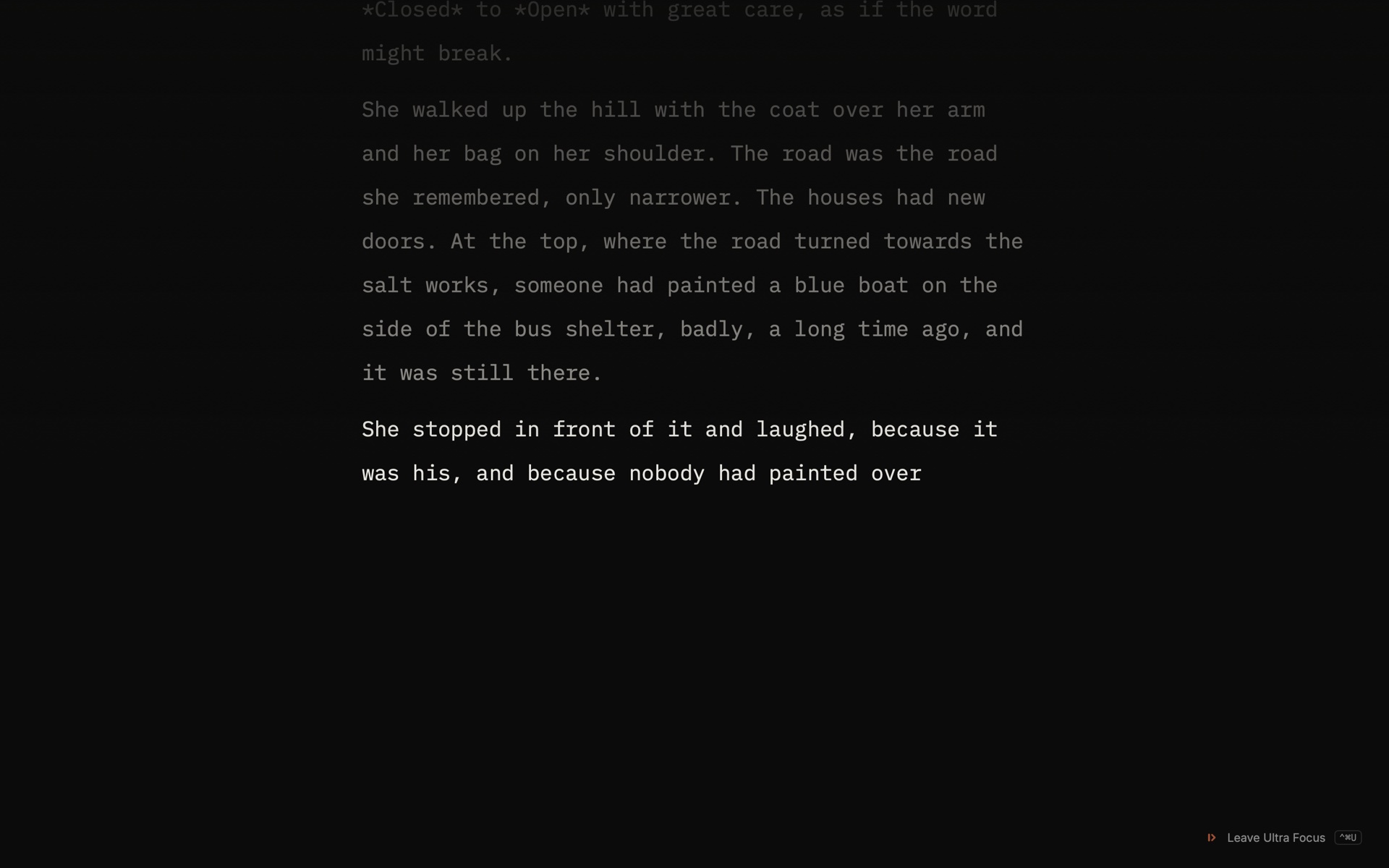
Ultra Focus takes the tools of that habit away. The screen goes dark and holds only your text. There is no interface, no mouse, no paste, no undo. You can only add the next word.
It is for drafting. Everything you write there lands in your chapter afterwards, where all of Musset is waiting to help you fix it.
Start and stop
With a chapter open, press ⌃⌘U, or choose Write ▸ Ultra Focus.
The chapter so far is shown above, dimmer and read-only, so you know where you are picking up. You write after it, never in it.
To leave, press ⌃⌘U again or click Leave Ultra Focus at the bottom right. Musset shows how many words you wrote and in how long, then brings you back to the book.
Three levels
Choose the level in Settings ▸ Ultra Focus.
| Level | What you can still do |
|---|---|
| Light | Backspace and move the caret, inside the sentence you are writing |
| Normal | Backspace; the caret stays at the end |
| Hardcore | Nothing goes back: no backspace, no arrows |
In every level, pasting, undo, the mouse and the other shortcuts are refused. When a key is refused, the page shivers and nothing else happens.
Start with Normal, the default. It lets you fix the typo you just made and nothing more. Move to Hardcore when you catch yourself backspacing through whole sentences.
Lock yourself in
In the same settings, Lock keeps the door shut until a goal is met:
- 500 words, or
- 25 min.
While the lock holds, the exit button counts what is left: 212 more words.
Where the words go
Under What you write goes, choose:
- At the end of the chapter (the default);
- A new scene, at the end, titled with the date and time, if you would rather keep the session apart;
- In the drafts, as a new draft, if you want to read it before it touches the book.
If something goes wrong
Musset keeps a copy of the session every three seconds. If the Mac loses power or Musset stops, your words are put back into the book the next time you open it, and the status pill says so.
How to get the most from it
- Know your next sentence before you enter. Ultra Focus is for writing, not for deciding what happens.
- Leave notes to yourself in the text. Write [check the ferry timetable] and keep going. Search for the bracket tomorrow.
- Do not judge the words on the way out. The summary shows a count, on purpose. Reread the next day, in Revise.
- Use a lock for the days you do not want to. Twenty-five minutes is short enough to start.
Try it in your browser on the home page before you install anything.
How-to · Last changed 2026-11-20 · Correct this page